WAITS: Emulating the Xerox Graphics Printer
This time we'll look at the Xerox Graphics Printer, an ancestor of today's laser printers, and see how it was used at SAIL. I've created an new emulator which will produce PDF files from output intended for the XGP, so they can be seen again for the first time in 50 years. As an example, here is a montage of six files.
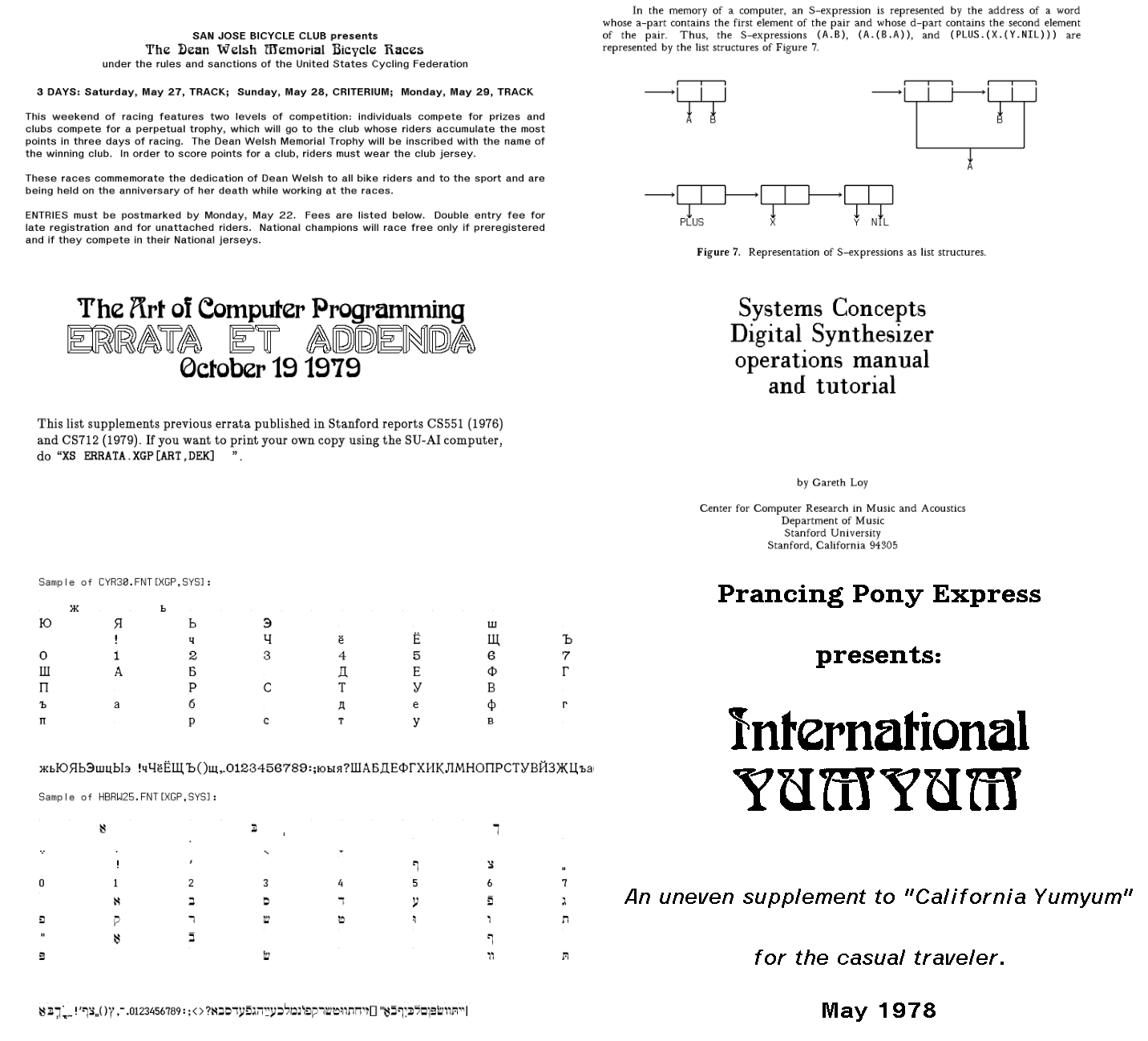 Montage of PDFs created from XGP files. Source: Rupert Lane. License: CC0.
Background
Xerox provided a XGP to Stanford, MIT and a number of other research institutes in around 1972. The printer was based on an earlier Xerox experiment, the LDX (Long Distance Xerography) which was a fax type system with a scanner and a printer. The XGP just had the printer part. It was similar to modern laser printers in that it used an electrostatic drum and ink powder to print an page, but it had a CRT rather than a laser as its light source.
It could print 192 dots to the inch on a roll of paper 8.5" wide; it had a knife under system control so pages could be cut or it could simply produce a long scroll. Output was black or white only with no greyscale.
Here's a picture taken by a DEC representative of the XGP at SAIL; not the console in the front, it's in the background at the centre of the picture. It seems most sites put a bin in front of it to catch its output. so it often looks quote humdrum.
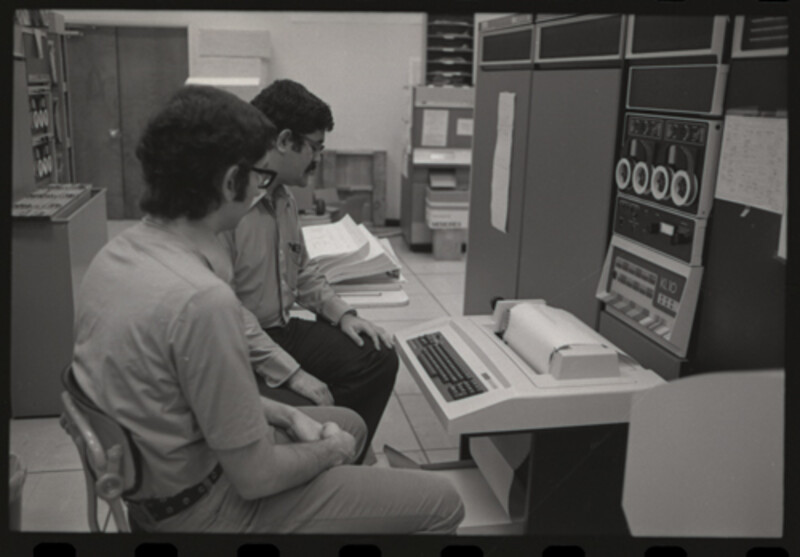 The XGP in the SAIL computer room. Source: CHM.
Each institute integrated this into their systems differently: MIT, for example, interfaced it to their PDP-10 via a PDP-11. Stanford chose to connect it to their PDP-6 (running side-by-side with the PDP-10 at this point) and developer an interface in the WAITS monitor. This could print in either bitmap or text mode; in text mode it could
- select different bitmap fonts stored on disk
- write text, with support for kerning, overprinting and underlining
- position items on the page with pixel accuracy
- draw simple vector graphics
Many output files that were sent to the XGP have been preserved in the saildart.org archive - manuals, project proposals, letters - created by the users as part of their regular work.
You can also make new XGP files using the simh emulator by running the source processors like PUB on either contemporary input files or your own creations
Fonts
This was all taking place in the 1970s, well before Postscript or any of the font technologies we use today. Staff at SAIL created their own bitmap fonts, and there was lots of sharing with MIT, CMU and other XGP sites. As of 1974 the SAIL system had 71 fonts and by the time it was shut down in the 1990s there were over 500. These went beyond just English characters with different appearances, with fonts for Cyrillic, Hebrew and graphics.
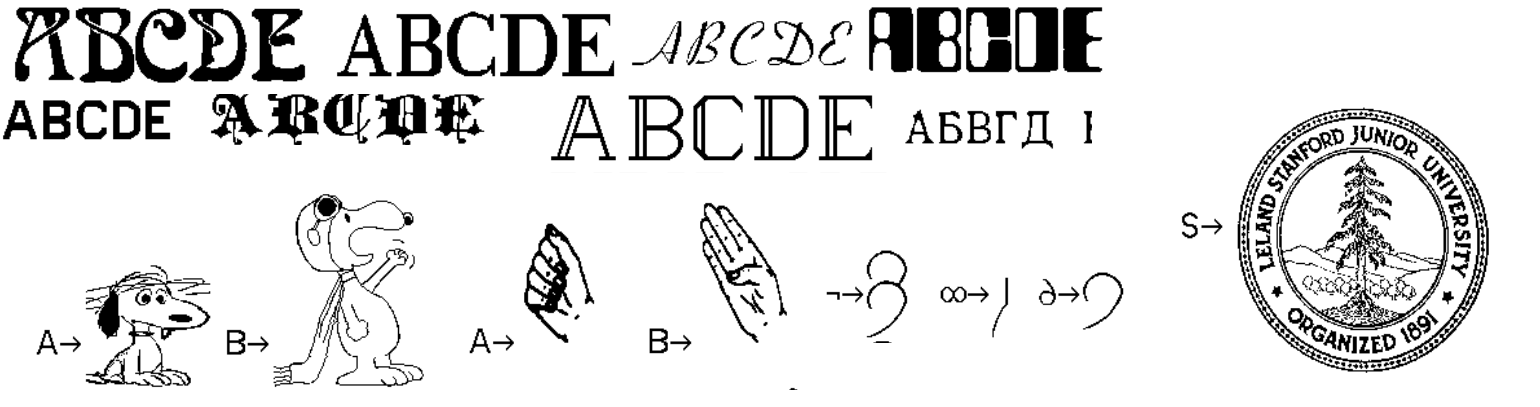 Sample XGP fonts. Source: scanned copy of Find-a-font
On WAITS there are utilities that use the DD terminal to display a
font file (R DDFONT) and edit them (R EDFONT).
Document tools
Along with writing programs, creating documents was one of the key activities of the Stanford AI Lab: a study from 1970 reported that in 1969 the 64 staff produced 23 external documents, 28 AI memos and 15 SAILON operational notes during that year. (It then goes on to facetiously extrapolate from the rate of the growth in the 1960s to the year 2001 where it expected 158 million staff producing 29 billion documents).
To support this need, and to use the XGP, several document production
tools were created at SAIL. These would all take a marked-up text file
as input and produce a .XGP file as output, which could be sent to
the printer via the XSPOOL command,
POX - Prototype Overlay Xewrographics - was written by Robert Maas and was a simple language specifically designed for the XGP. It has around 10 single letter commands introduced by a backslash: for example the below will define two fonts, set "Preface" in font 0 and use font 1 for the body, then starts a paragraph with justified text.
\M0BAXL30;\M1NGR25

\F0Preface\F1

\JThis document will introduce the POX language...
It also had a simple register based programming facility similar to
TECO's called Q-registers, but no high level commands for producing
structured text. It was generally used for smaller documents like
letters. This can be run on WAITS via R POX which will prompt for an
input file.
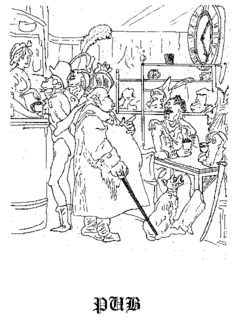 Cover of the PUB manual. Source: saildart.org
PUB was a scriptable markup language, implemented in 1971 by Larry Tesler from an idea by Les Earnest. This spread to other PDP-10 sites where it was extended (support for the XGP printer was added by CMU, for example). It had around 100 commands with an English like syntax together with a built in programming language similar to SAIL. An example from the manual to set up headers and footers with date and page number, and to indent paragraphs by six spaces:
.EVERY HEADING(DAN MATION,PARACYBERNETIC PHENOMENA,{DATE})
.EVERY FOOTING(,{PAGE},)
.INDENT 6
Although it was powerful, it was quite slow, processing around 15
pages per minute. Many of the SAIL manuals, such as those for FAIL,
were produced using PUB. PUB is integrated into the RPG system so you
can type PUB filename.pub to start the program.
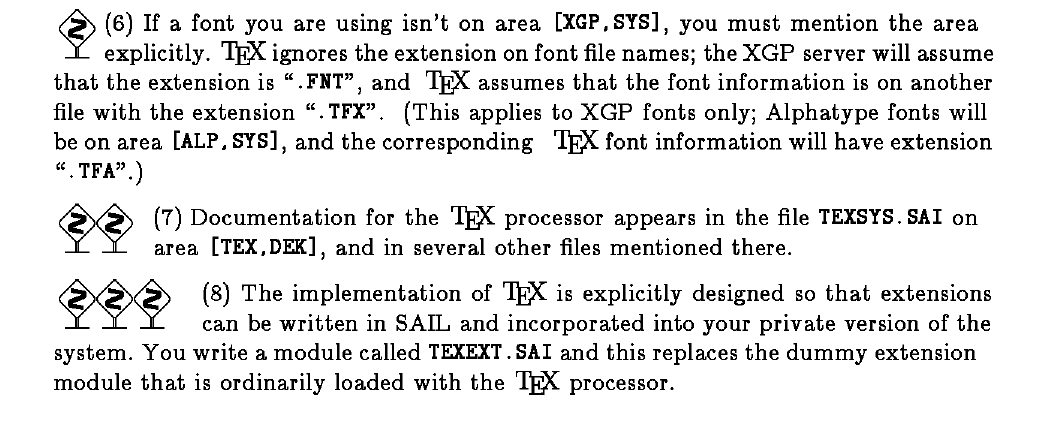 A section from the TeX manual about running it at SAIL. Source: saildart.org
The most famous text processing language to come out of Stanford was TeX, by Donald Knuth. The first full version was written in the SAIL language and made available in 1978. This produced output to an XGP file rather than the DVI files used today. This was pre-METAFONT, so Knuth created XGP font files to integrate with the SAIL printing system.
As the disk images we have running today are from 1974, that means that TeX is not available to run under simh at present. However, the XGP emulator can render to PDF existing XGP files produced by TeX.
The emulator
The new emulator, xgptopdf, is a Python program that is independent from the WAITS simh emulator. It takes a XGP file produced by PUB, POX or TeX as input and produces a PDF file as output. You can directly reference a saildart.org file by giving its WAITS filename; the tool will download the file and produce output in one step.
For example, International Yum Yum was the lab's guide to
restaurants around the world, the cover of which you can see in the
bottom right of the montage at the top of this article. The first
version of this file from 1978 is preserved at saildart.org as
YUMMY.XGP[P,DOC]`, so you can type
xgptopdf YUMMY.XGP[P,DOC]1
and it will make a file YUMMY.XGP[P,DOC]1.pdf in your current
directory that can be viewed or printed.
For new XGP files generated by PUB or POX using the WAITS simh emulator,
use the techniques described in an earlier post to extract the files
to your own computer via a virtual tape file. When unpacking the DART
archive you need the -Woct switch to extract in octal format. So say
you had a tape file extract.tap that contained an XGP file
MY.XGP[1,REL] run
$ dart -Woct -xf extract.tap
$ xgptopdf rel/1/my.xgp
and it will produce my.pdf in your current directory.
The XGP spool file does not embed the font, rather it references which fonts it wants to use via a file name. Therefore the emulator contains a collection of font files from the SAIL backup and a facility to switch font assignments if needed.
The Github repo contains a few examples of PDFs created by this tool. There are several hundred original XGP files on the saildart.org archive - and many more that can be created from their PUB or POX source - so it's well worth exploring to see what you can find.
Further information
The computer history wiki gunkies.org has a page about the XGP. There's information on how it was used at MIT, plus some pictures, at the PDP-10 Github organisation.
Find-a-font - SAILON 74 - contains a guide to the fonts available on WAITS and the font format.
saildart.org has the original PUB manual in text form, along with a version with additional notes from Larry Tesler.
Questions, corrections, comments
September 2026: Lars Brinkhoff correctly pointed out that Stanford connected their XGP to the PDP-6, not directly to the PDP-10.
I welcome any questions or comments, and also especially any corrections if I have got something wrong. Please email me at rupert@timereshared.com and I will add it here and update the main text.